Taxes
The Taxes section allows you to manage and configure default and country-specific tax settings.
Default Tax Settings
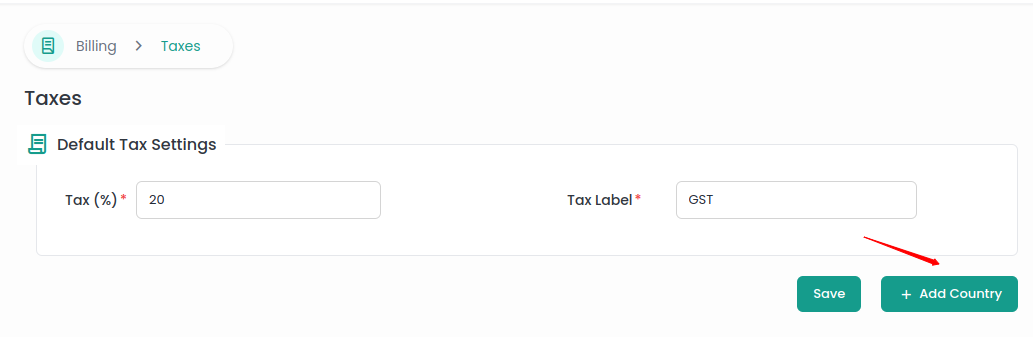
The Default Tax Settings section provides an option to define the global tax rate, applicable to all transactions unless overridden by country or region-specific settings.
- Tax (%): Enter the global tax rate (e.g., 4%).
- Tax Label: Specify the label for the tax, such as GST etc.
Country Specific Settings
The Country Specific Settings section allows you to define tax rates for specific countries and regions. For each country, multiple regions and their tax rates can be defined.
To add a country-specific tax, click on the Add Country button.
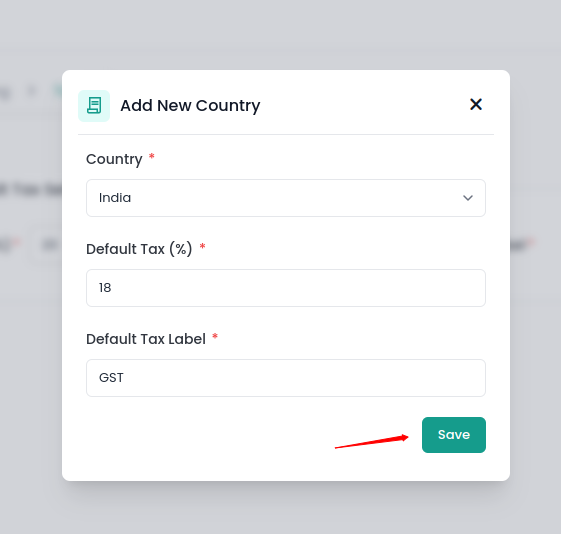
Fill in the required information and click on the Save button.
Now, you can see the tax details for the specific country in the form.
You can add multiple regions and define taxes for specific regions. To add a region, click on the Add Region button, fill in the Tax, Tax Label, and select a region.
After adding regions click on Save button.
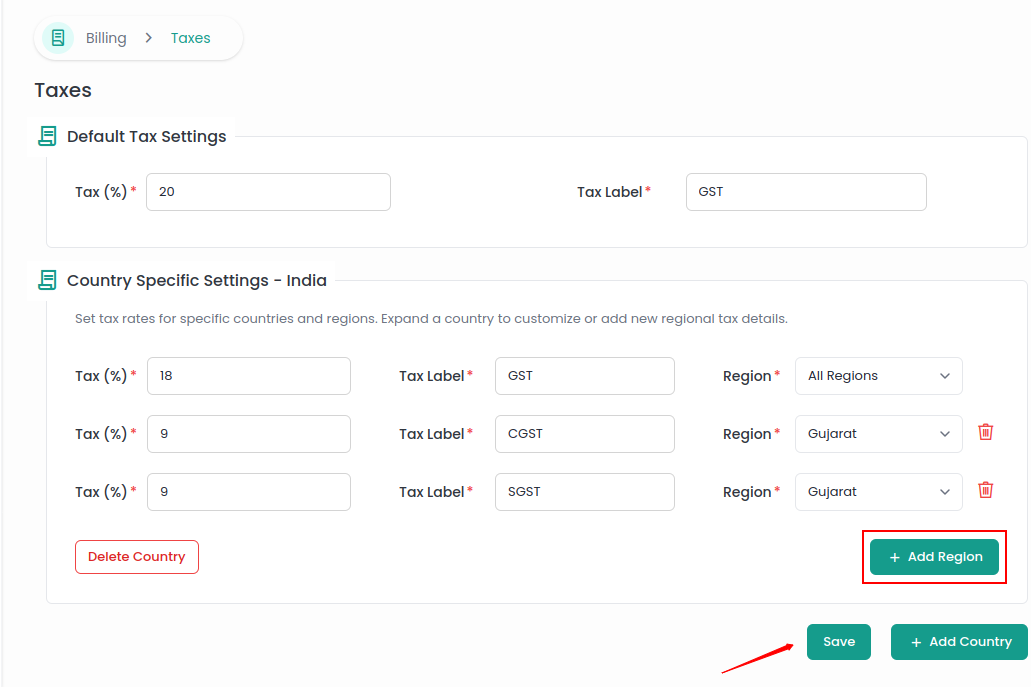
You can also delete a region. To delete a region, click on the Trash icon next to the region field. After deleting the region, click on the Save button.
You can also delete a country. To delete a country, click on the Delete Country button.